How to Use This Precision Online Compass
Welcome to the ultimate browser-based navigation tool. Our **online compass** utilizes the actual magnetometer sensor inside your device to provide a real-time, high-precision bearing. Whether you are an outdoor enthusiast, a drone pilot needing to calibrate, or simply trying to orient a satellite dish, this tool delivers instant results without requiring an app installation.
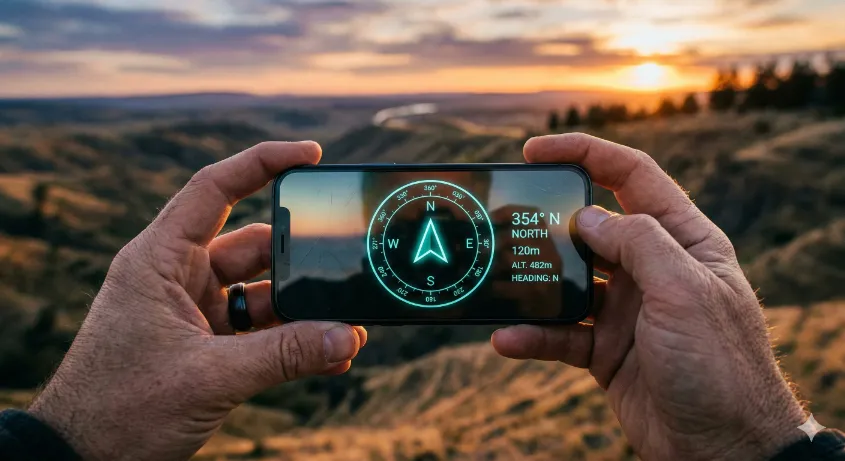
To get the most accurate reading, hold your device completely flat in the palm of your hand, just as you would a traditional magnetic compass. The red tip of the digital needle always points toward Magnetic North, while the fixed lubber line at the top indicates your current heading in degrees.
Maximizing Digital Compass Accuracy & Calibration
Because smartphone compasses rely on sensitive micro-electromechanical systems (MEMS), they are highly susceptible to magnetic interference. If your heading seems erratic, stuck, or simply incorrect, your device requires calibration.
The Figure-8 Calibration Technique
To restore accuracy, you must force your device's operating system to differentiate between the Earth's native magnetic field and local interference. Hold your device securely and move it through the air in a large, sweeping **figure-8 motion** (or infinity symbol) three to five times.
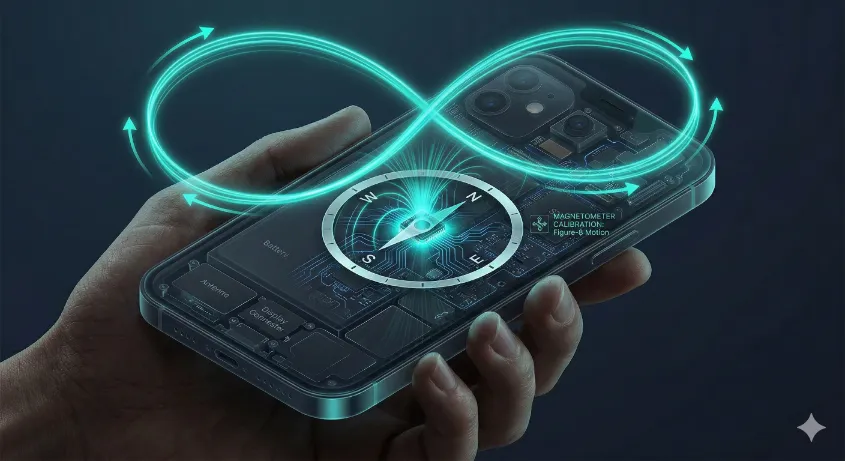
This movement allows the internal algorithms to map the magnetic environment in 3D, neutralizing "hard iron" and "soft iron" distortions caused by nearby metal objects, vehicle chassis, or electromagnetic fields from other electronic devices.
The Science: How Phone Magnetometers Work
How does a piece of glass and plastic know where North is? The secret lies in a tiny solid-state sensor called a **Hall effect magnetometer**. This microscopic chip measures the tiny voltage variances created when electrons are deflected by a magnetic field.
By detecting the strongest magnetic pull—the Earth's magnetic core—the sensor can determine its orientation relative to Magnetic North. Our application accesses this raw data via the secure `DeviceOrientationEvent` API, filters the noise, and presents it through a responsive, low-latency visual interface.
Browser Compass Use Cases
- Hiking & Orienteering: Quickly verify your bearing against a topographic map without pulling out a separate native compass tool.
Compass Frequently Asked Questions
Why does the online compass need sensor permissions?
Modern mobile browsers block access to motion and orientation sensors by default to protect user privacy. We require this explicit permission to read the data from your device's magnetometer; without it, the digital dial cannot rotate.
What is the difference between this and GPS navigation?
GPS determines your location (latitude/longitude) and requires you to move to calculate direction based on your path. This magnetometer tool determines which way your device is physically facing, even while standing completely still.
Does a metal phone case affect the accuracy?
Yes, significantly. If your phone case contains magnets (like MagSafe cases) or heavy metals, it will create a strong local magnetic field that will overpower the Earth's natural magnetism, causing massive inaccuracies.