How Does Our Online Compass Work?
Our free online compass leverages the highly accurate DeviceOrientation API built into modern HTML5 browsers (like Chrome, Safari, and Edge). Instead of relying purely on GPS data, which requires movement to determine direction, this tool interfaces directly with the hardware inside your device.
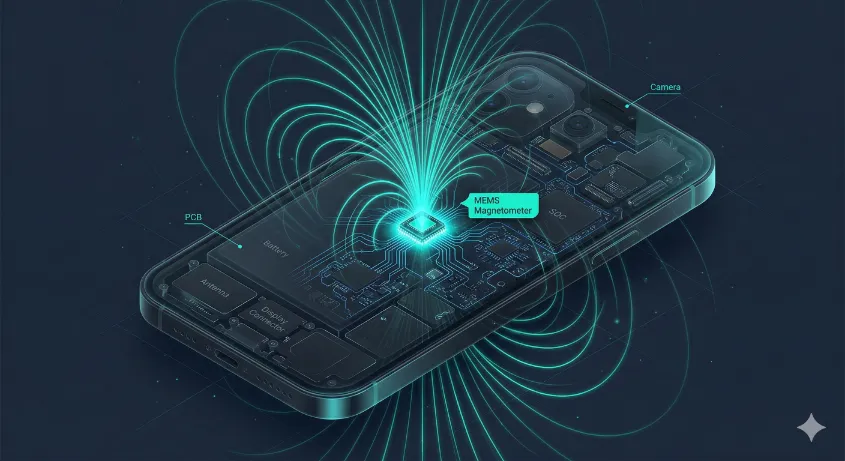
Inside your smartphone or tablet is a microscopic MEMS (Micro-Electromechanical System) magnetometer. This sensor continuously measures the strength and direction of the Earth's magnetic field. Our web application securely reads this data via JavaScript, applies complex filtering algorithms to reduce noise, and visually rotates the digital dial to point you precisely toward Magnetic North.
Why Use a Browser-Based Digital Compass?
Finding your direction shouldn't require compromising your phone's storage or privacy. A web-based compass offers several distinct advantages over traditional native applications:
- Zero Installation: No need to visit an app store or download bulky files. It loads instantly in your browser.
- Enhanced Privacy: Because it operates within the secure "sandbox" of your web browser, we do not track or store your location data. Once you close the tab, the connection to your sensors is severed entirely.
- Universal Compatibility: Whether you are using an iPhone, an Android device, or a GPS-enabled tablet, the cross-platform nature of the web ensures the tool works flawlessly everywhere.
Understanding True North vs. Magnetic North
When navigating outdoors, aligning a satellite dish, or orienting a map, it is crucial to understand that your smartphone detects Magnetic North, not True North.

True North corresponds to the Earth's geographic axis (the North Pole). However, the Earth's molten iron core generates a shifting magnetic field. The difference between True North and Magnetic North at your specific geographic location is called magnetic declination. If you are using our tool alongside a physical topographic map, be sure to account for your local declination to ensure pinpoint accuracy.
How to Calibrate Your Phone's Compass Sensor
If you notice the compass dial sticking or acting erratically, your device's magnetometer may be experiencing magnetic interference from metallic phone cases, nearby electronics, or even the metal chassis of a car.

To fix this instantly, hold your phone securely and move it through the air in a sweeping "Figure 8" (infinity symbol) motion a few times. This forces the device's internal operating system to recalibrate the sensor baseline, restoring maximum accuracy to our online compass tool.
Frequently Asked Questions
Is this compass completely free?
Yes, our digital compass is 100% free to use directly in your browser.
Do I need to download an app?
No app download is required. It works directly in Chrome, Safari, and Edge.
Why is my compass pointing the wrong way?
Magnetic interference can distort readings. Move your device in a figure 8 pattern to calibrate it.